Create a polished OC in 4 steps: prompt, style, reference, and iteration.
If you want a practical oc maker workflow you can reuse, this guide is built for fast execution, not theory.
Quick Start
If you searched for how to create your own original character with oc maker 2026, use this loop:
- Build a clean base prompt in the form.
- Lock style and attributes with selector chips.
- Add reference images only when needed.
- Generate, compare, then iterate with small changes.
You can start right now on OC Maker.
Example Prompt You Can Copy
1girl, silver twin-tail hair, aqua eyes, white and mint outfit, floating charms, calm smile, fantasy academy vibe, full body, clean background
This works well for a free ai original character creator for beginners because every clause is visual and easy to adjust.
How to Use OC Maker in 4 Steps
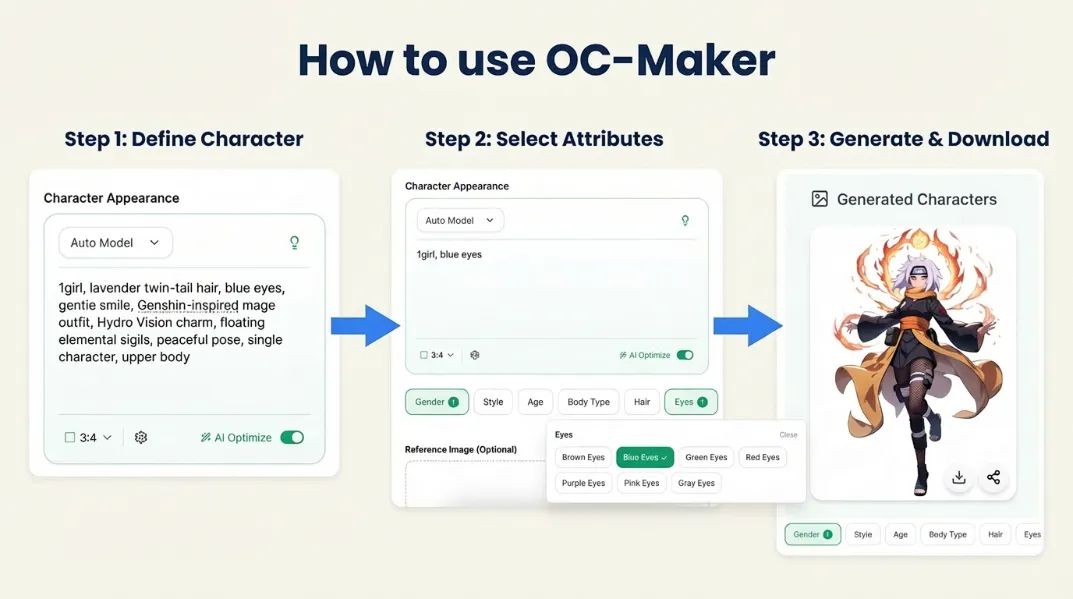
1) Build the Base Prompt in Character Appearance
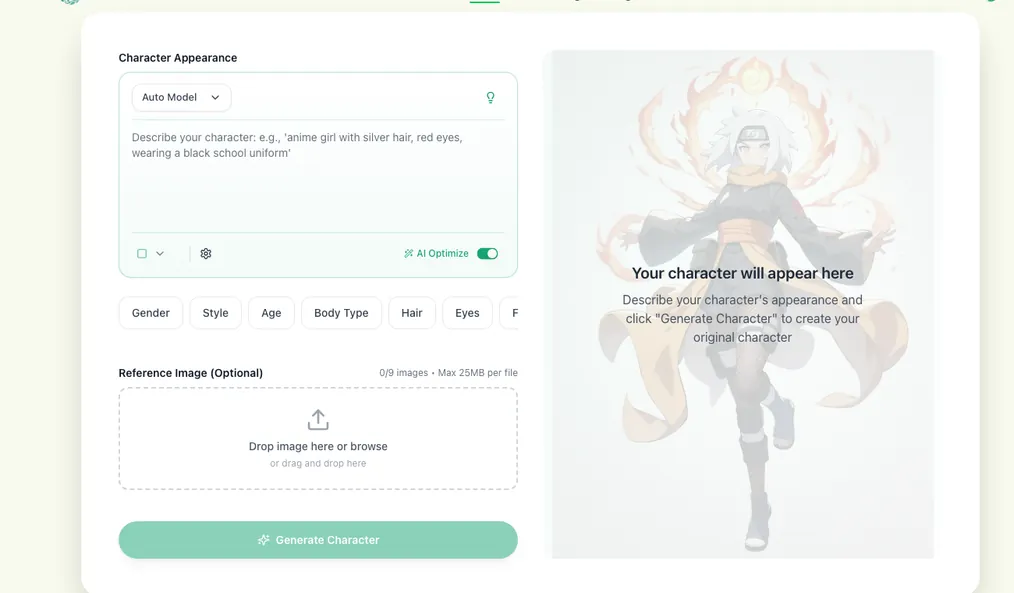
- Keep one line with this order: subject -> visual traits -> outfit -> mood -> framing.
- Use the model dropdown first (
Auto Modelis a stable default; premium models can be tested later). - Use the lightbulb (
inspire me) when you need a fast draft, then rewrite it in your own style. - Set aspect ratio before generating (
3:4is good for portrait OCs). - Leave
AI Optimizeon for early drafts; turn it off only when you need exact wording control.
This step is the core of a reliable original character maker workflow.
2) Lock Attributes with the Style Selector
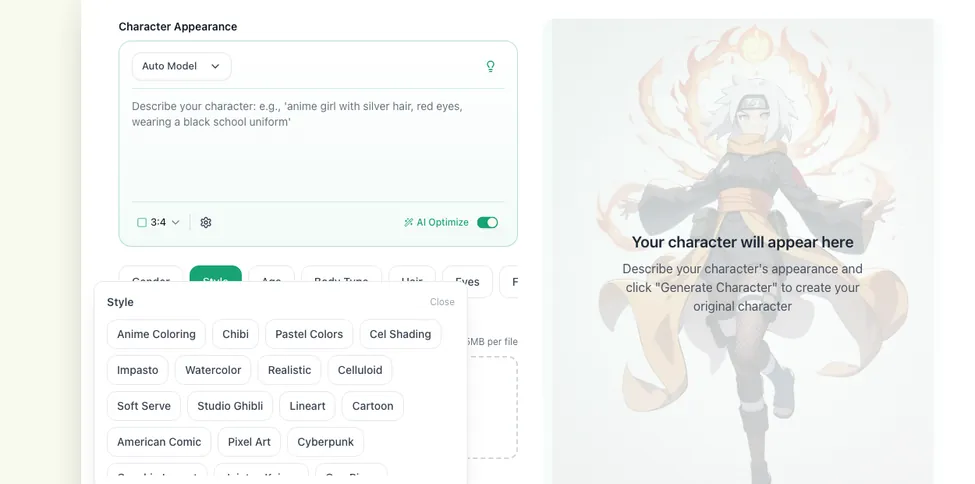
- Click category chips like
Gender,Style,Age,Body Type,Hair, andEyes. - Choosing options appends prompt tokens automatically, so you can build faster with less typing.
- Gender is mutually exclusive in the form logic (
1boyvs1girl) to avoid prompt conflicts. - For cleaner outputs, lock 2 to 4 core traits first, then expand.
For an anime oc maker, this is where consistency is won.
3) Use References and Advanced Settings Only When Useful
Reference Imagesupports up to 9 files, with 25MB max per file.- Rename each uploaded image so it is easier to reuse in prompts.
- Use the insert arrow button to place image names directly into prompt text.
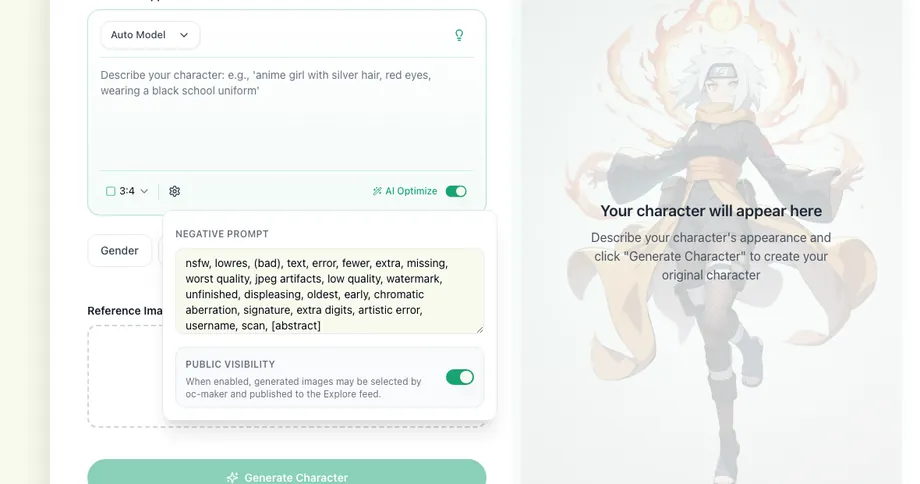
- In the settings panel, use
Negative Promptonly to remove recurring errors. - Keep
Public Visibilityon or off depending on whether you want gallery exposure.
This keeps your ai oc maker output controlled instead of noisy.
4) Generate, Compare, and Iterate Like a Designer
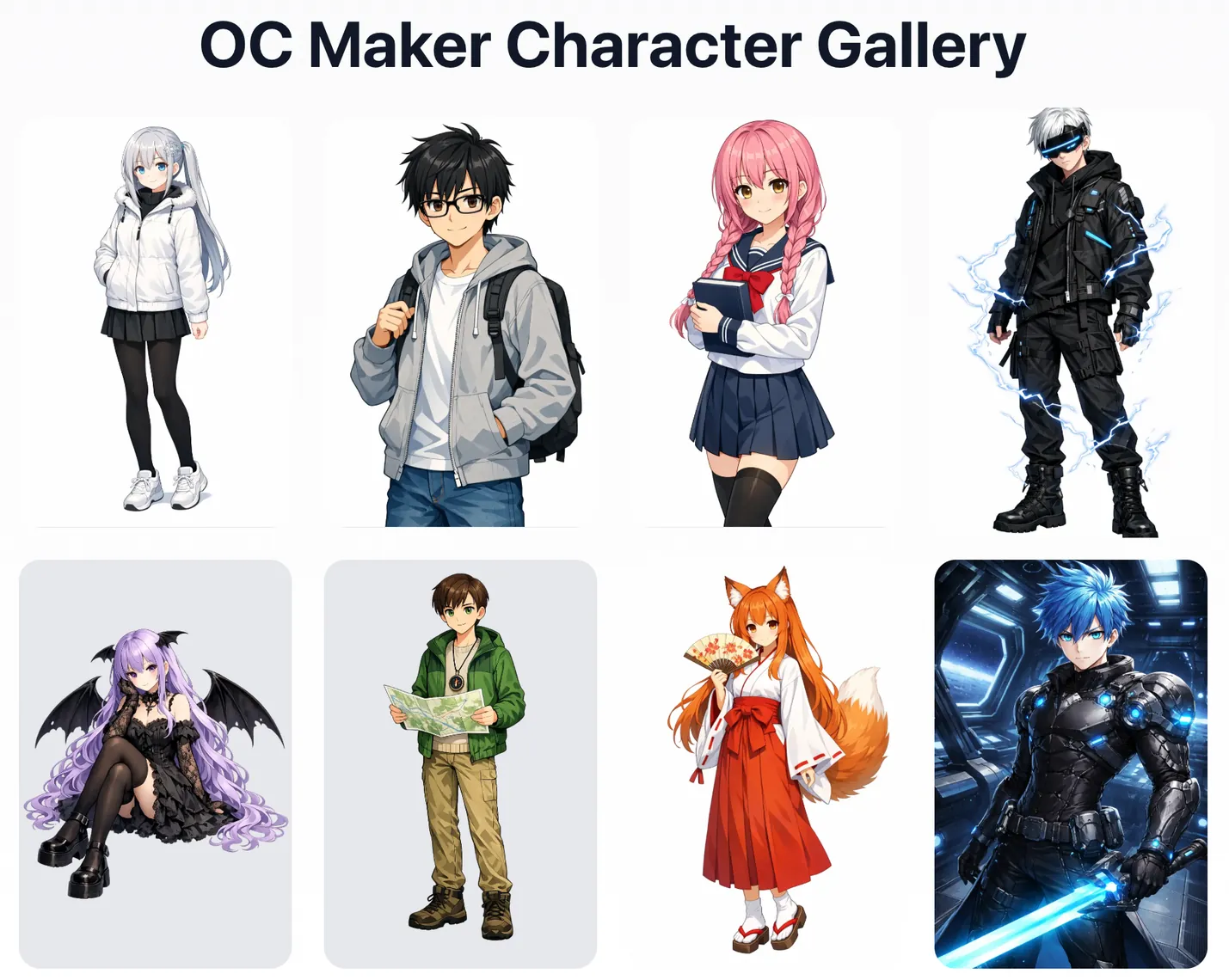
- Click
Generate Characteronly after prompt, chips, and ratio are fixed. - Compare outputs by silhouette, facial readability, costume clarity, and pose logic.
- Keep the best version as your base and change one variable per round.
- Finalize with three production variants: neutral pose, action pose, and close-up portrait.
If you need an anime original character creator without drawing skills, this iteration discipline matters more than model hopping.
Long-Tail Prompt Templates You Can Reuse
anime original character creator without drawing skills, 1girl, short silver hair, teal eyes, utility jacket, confident pose, clean studio backgroundhow to make an oc character for webtoon, 1boy, dark blue hair, school uniform remix, serious expression, panel-ready line clarityfree ai original character creator for beginners, 1girl, pastel hoodie, playful smile, soft shading, full bodybest ai oc maker 2026 style test, fantasy mage, glowing runes, asymmetrical coat, cinematic lightingoriginal character creator for cosplay reference, detailed accessories, front view, side view mood consistency
Use them as skeletons, then edit one variable each pass.
Who Should Use This Workflow
- Manga and webtoon creators
- Cosplayers building character references
- VTuber and avatar concept designers
- Students and hobby creators learning character design structure
FAQ
Is OC Maker free to start?
Yes. You can start with the free flow on OC Maker and iterate from there.
Can I use this as an original character creator without drawing?
Yes. Clear prompts and controlled iteration are enough for strong outputs.
Is this useful for fandom-specific OC work?
Yes. You can adapt the same method for Genshin OC Maker and Pokemon OC Maker.
Final Action
If you want a repeatable original character creator system, run this 3-pass sequence now in OC Maker: baseline prompt, style lock, final polish.
Need more tutorials? Visit the OC Maker Blog.