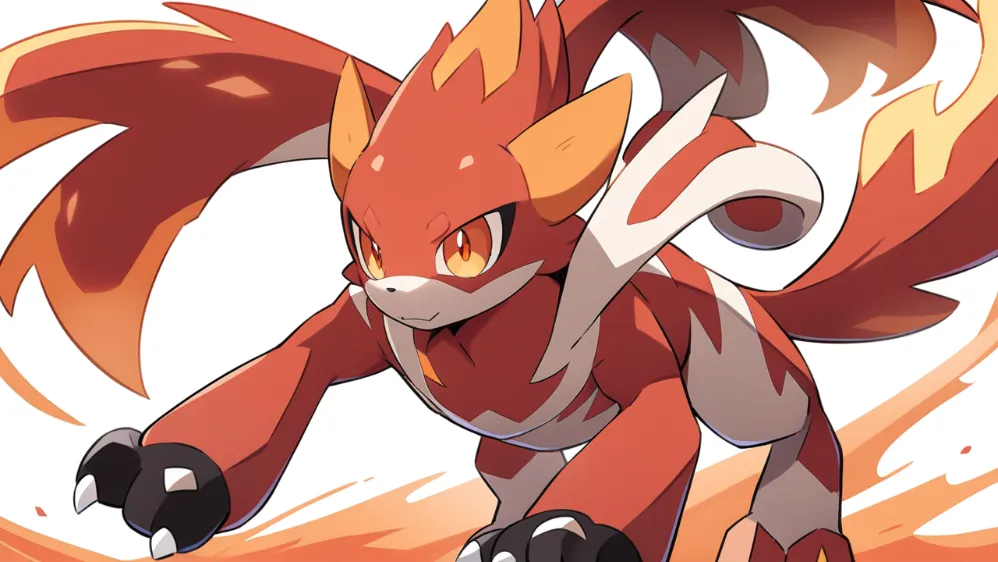
If your generations feel random, the problem is usually not your creativity. It is prompt structure.
A strong pokemon oc maker workflow gives you repeatable control over identity, shape, and style so each iteration improves instead of drifting.
If you want a broader cross-fandom workflow before going Pokemon-specific, use How to Create Your Own Original Character with OC Maker (2026 Step-by-Step Guide) as your baseline.
Quick Start
- Choose one primary type and one role.
- Define silhouette before details.
- Add material words (fur, scales, shell, crystal).
- Set one action + one emotion, then iterate one variable at a time.
If you only follow these four rules, your OC quality will jump immediately.
What a Pokemon OC Maker Should Help You Control
Most creators expect one prompt to solve everything. In practice, better outputs come from layered decisions:
- Identity: type + role + vibe.
- Structure: silhouette + body proportions.
- Surface: materials + motif details.
- Readability + Consistency: pose + framing + controlled iteration loop.
This is why a pokemon oc maker is more than a random image generator. It is a design system.
The 4-Step Workflow
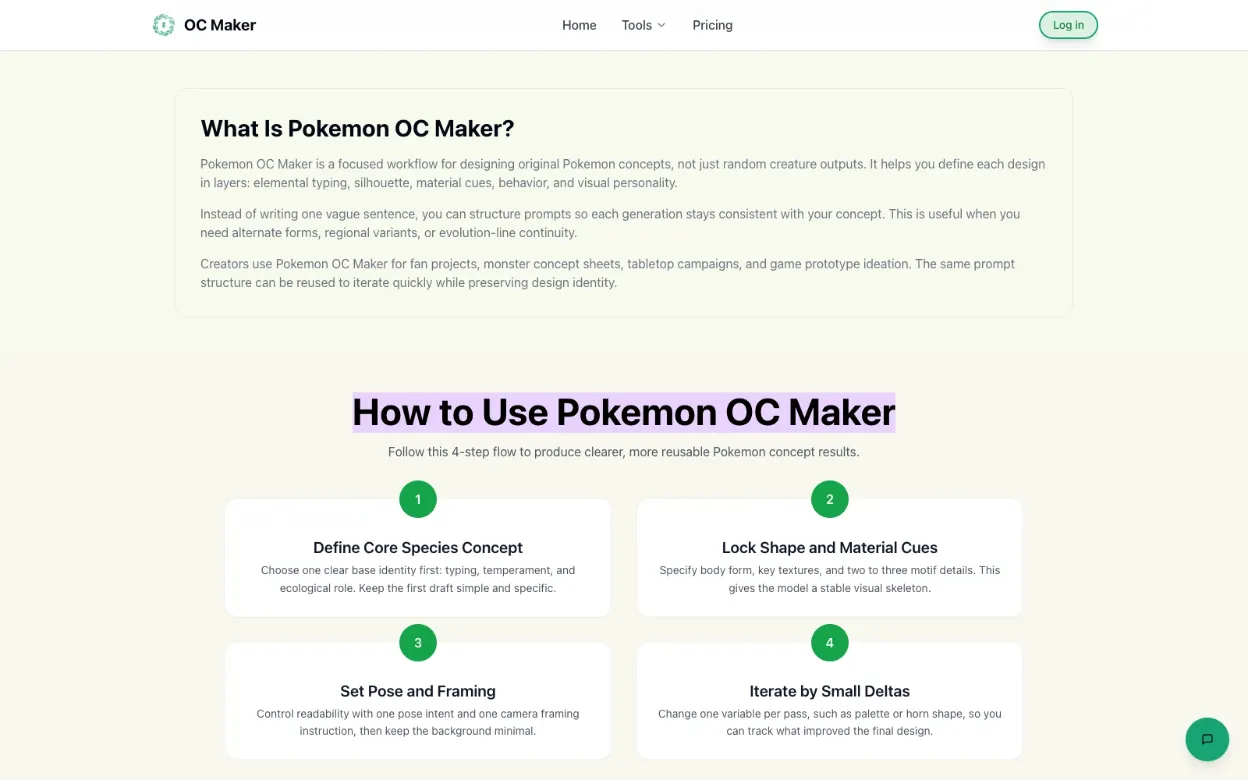 Workflow overview from the live Pokemon OC Maker page.
1) Lock Core Identity First
Write one clear line for concept intent.
- Type: electric
- Role: scout
- Theme: storm fox from high cliffs
Avoid mixing 3 to 4 themes in the first draft. Focus beats complexity.
2) Define Silhouette Before Texture
Silhouette decides whether the character is memorable.
Good shape-first starters:
- Compact biped with oversized ears
- Agile quadruped with long tail arc
- Floating jelly-like form with ring fins
- Armored beetle body with wide shoulder shell
Once the shape reads well, then add small ornament details.
Shape-first exploration: test body readability before adding detail.
3) Add Material Vocabulary
Concrete material words remove ambiguity:
- fur, scales, shell, bark, crystal, alloy
- matte, glossy, translucent, weathered
- soft underbelly, rigid dorsal armor
Material language helps the model choose consistent texture behavior instead of generic smoothing.
Use one base creature and swap only material logic to compare clarity.
4) Add One Motion Cue + One Emotion Cue, Then Iterate with Narrow Deltas
Use only one movement intention and one facial expression.
- "springing forward, excited expression"
- "low crouch, focused gaze"
- "hovering calmly, gentle smile"
Too many motion signals create noisy anatomy and awkward posing.
One creature, multiple movement-emotion pairs for cleaner prompt intent.
Keep your prompt skeleton stable. Change one variable each round:
- pass 1: color palette
- pass 2: horn shape
- pass 3: pose angle
- pass 4: background simplification
This is the fastest way to diagnose what actually improved the result.
Keep the skeleton stable and change one variable per pass.
Copy-and-Use Prompt Blueprint
1pokemon, original pokemon, [primary type], [body silhouette], [material cues], [2 motif details], [palette], [emotion], [pose], single character, upper-body or full-body framing, clean background
If you want to test this directly, open Pokemon OC Maker and paste it as-is, then iterate one variable per run.
10 High-Utility Prompt Templates
1pokemon, original pokemon, grass type, small biped, moss-like mane, leaf ear fins, lime and forest palette, curious smile, hopping pose, clean background1pokemon, original pokemon, fire type, agile quadruped, ember-striped fur, flame tail tip, orange-red palette, fierce eyes, charging pose, clean background1pokemon, original pokemon, water type, sleek semi-aquatic body, translucent fins, pearl-blue scales, calm expression, drifting pose, clean background1pokemon, original pokemon, electric type, compact rodent silhouette, zigzag tail, glowing cheek marks, yellow and navy palette, excited expression, springing pose, clean background1pokemon, original pokemon, dragon type, winged reptilian frame, layered emerald scales, horn crown, sharp gaze, soaring pose, clean background1pokemon, original pokemon, bug type, armored exoskeleton, segmented limbs, antenna crest, earthy palette, battle-ready stance, clean background1pokemon, original pokemon, fairy type, tiny floating silhouette, petal-like wing membranes, pastel pink accents, cheerful expression, twirl pose, clean backgroundpokemon trainer, original character, electric gym leader, cropped jacket, bolt motifs, confident stance, anime key visualpokemon trainer, original character, ranger archetype, utility vest, muddy boots, forest palette, companion creature at shoulder, cinematic portraitregional variant concept, ice-fire dual motif, steam vents along back, frosted mane, aggressive side profile, dynamic action pose
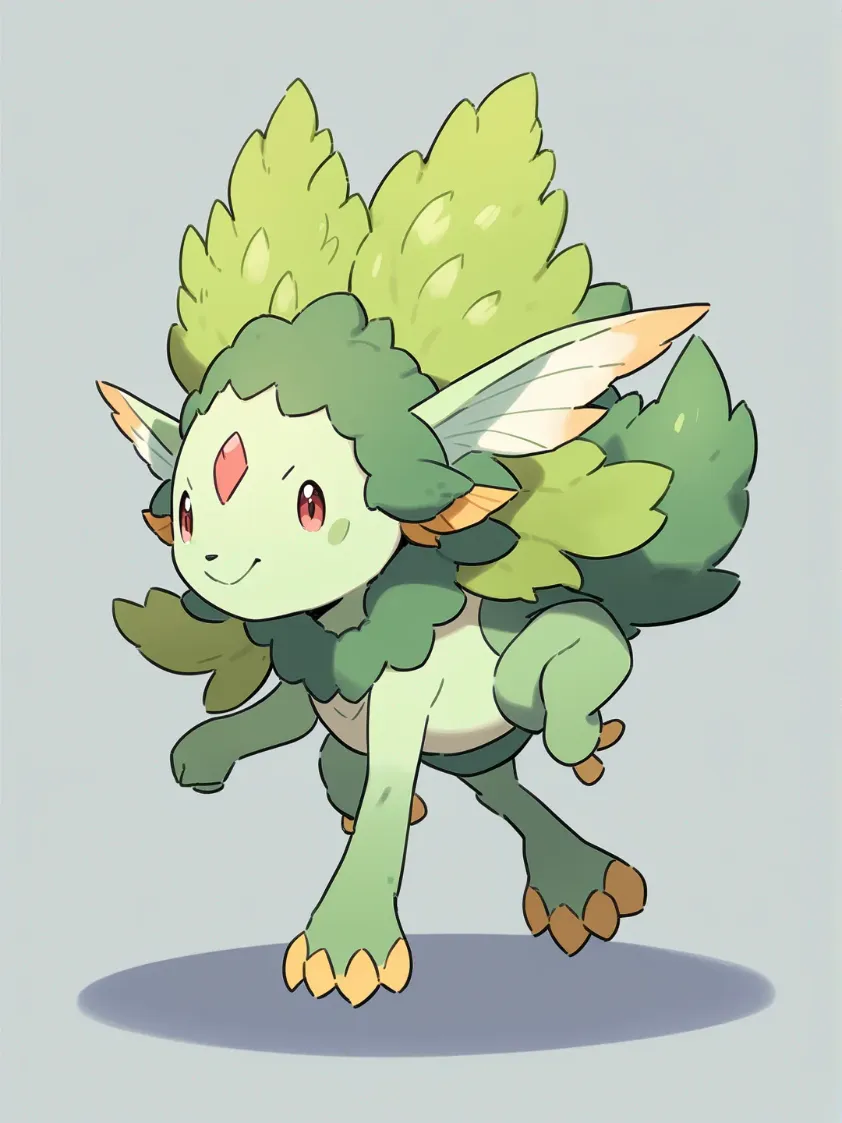 Generated from template #1 in this list (grass type).
Common Failure Patterns and Fixes
- Too many type signals: keep one primary type in draft 1.
- Flat silhouette: rewrite body shape in the first clause.
- Muddy textures: replace adjectives with material nouns.
- Pose conflict: reduce to one action verb.
- Inconsistent style: keep your prompt order fixed each iteration.
Fast QA Checklist Before You Save Final Output
- Is the type identity obvious in 3 seconds?
- Is the silhouette readable at thumbnail size?
- Are material cues visible (not implied)?
- Does pose communicate role (support, attacker, scout)?
- Can you explain what changed between iteration A and B?
If any answer is "no," do one more controlled pass.
Pokemon OC Maker vs Pokemon Trainer Maker
Use pokemon oc maker flow for creature-first design. Use trainer flow when outfit language, backstory cues, and role identity matter more.
Best workflow: generate both, then align motifs so trainer and partner look intentionally paired. You can draft creature first in Pokemon OC Maker, then adapt the same motif logic for human characters in Genshin OC Maker.
FAQ
Is Pokemon OC Maker beginner-friendly?
Yes. The structure removes guesswork and gives you a stable process from the first prompt.
Do I need drawing skill to get good results?
No. You mainly need clear design decisions and disciplined iteration.
How many iterations should I run per concept?
Start with 4 to 6 rounds, changing one variable each round.
How do I keep evolution forms consistent?
Reuse two anchor traits across all stages, then scale complexity gradually.
Final Action Step
Open the generator, paste the blueprint, and run your first 3 controlled iterations now:
Need more workflow examples? Browse the OC Maker Blog.
For a general-purpose character system you can reuse across tools, read How to Create Your Own Original Character with OC Maker (2026 Step-by-Step Guide).