HomeToolsTADC OC Maker

TADC OC Maker

Create Amazing Digital Circus inspired OCs with a structured prompt flow for surreal circus roles, toy-like textures, pastel palettes, exaggerated expressions, and clean reference-sheet layouts.

作例を見る
0/9 枚 • 1ファイル最大25MB

ここに画像をドロップ、または参照

またはドラッグ&ドロップ

Sign in to generate. Free accounts get 15 credits for watermarked previews.

生成結果がここに表示されます

キャラクターの外見を入力して「キャラクターを生成」をクリックしてください

What Is TADC OC Maker?

TADC OC Maker is a focused workflow for building original characters inspired by The Amazing Digital Circus with more control than a one-line prompt. It helps you define circus role, silhouette, material feel, and expression language in a repeatable order.

This page works especially well for reference sheets. You can specify toy-like or rubber-hose materials, pastel carnival palettes, prop design, and turnaround views so the character feels ready for fan art, role-play bios, or storyboarding.

Creators use TADC OC Maker for OC sheets, profile art, comic planning, animation concepts, and social posts. Once you lock a strong base prompt, it becomes easy to generate alternate outfits, mood variants, or different pose sets without losing identity.

This tool is a fan-made generator for original characters inspired by The Amazing Digital Circus style. It is not affiliated with, endorsed by, or associated with the official creators or rights holders.

How to Use TADC OC Maker

Use this 4-step flow to turn a surreal circus idea into a cleaner, reusable TADC OC reference sheet.

1

Describe Your Character

Start with the character core: circus role, body type, species cue, and overall mood. Keep the first draft simple but vivid.

2

Customize Character Details

Add material cues, prop design, color palette, face language, and reference-sheet instructions so the character reads more clearly.

3

Create Your Character

Generate your character and compare drafts to find the strongest sheet layout, pose variety, and expression clarity.

4

Finalize & Use

Refine the best version, save the final prompt, and reuse it for bios, comics, role-play assets, and future scene variations.

TADC OC Maker Examples

These starter prompts lean into reference-sheet layouts, pastel circus palettes, and expressive face panels. Swap role, props, and materials to build your own cast.

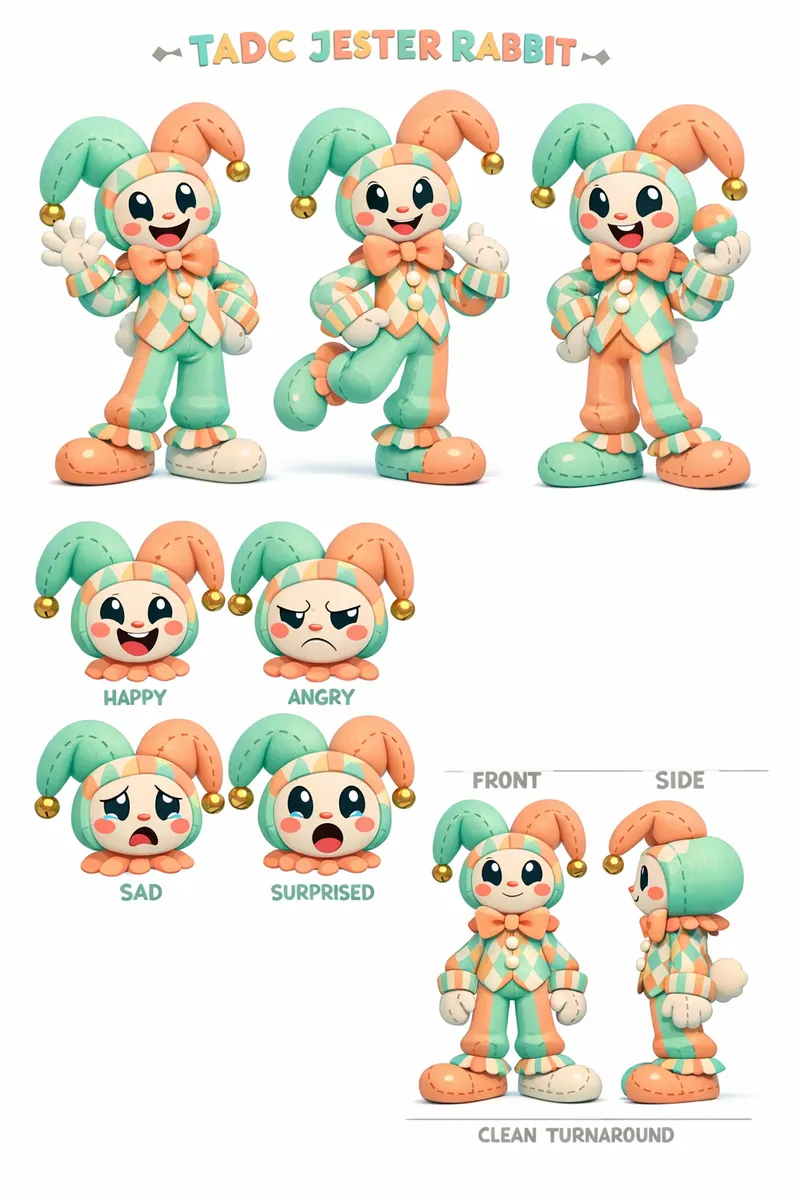
TADC OC Example 1

TADC style, original jester rabbit OC character design sheet, 3 full-body poses, 4 expression close-ups, plush ears, stitched gloves, pastel mint and peach circus palette, striped cuffs, clean front and side turnaround notes, stylized 3D cartoon render, white studio background

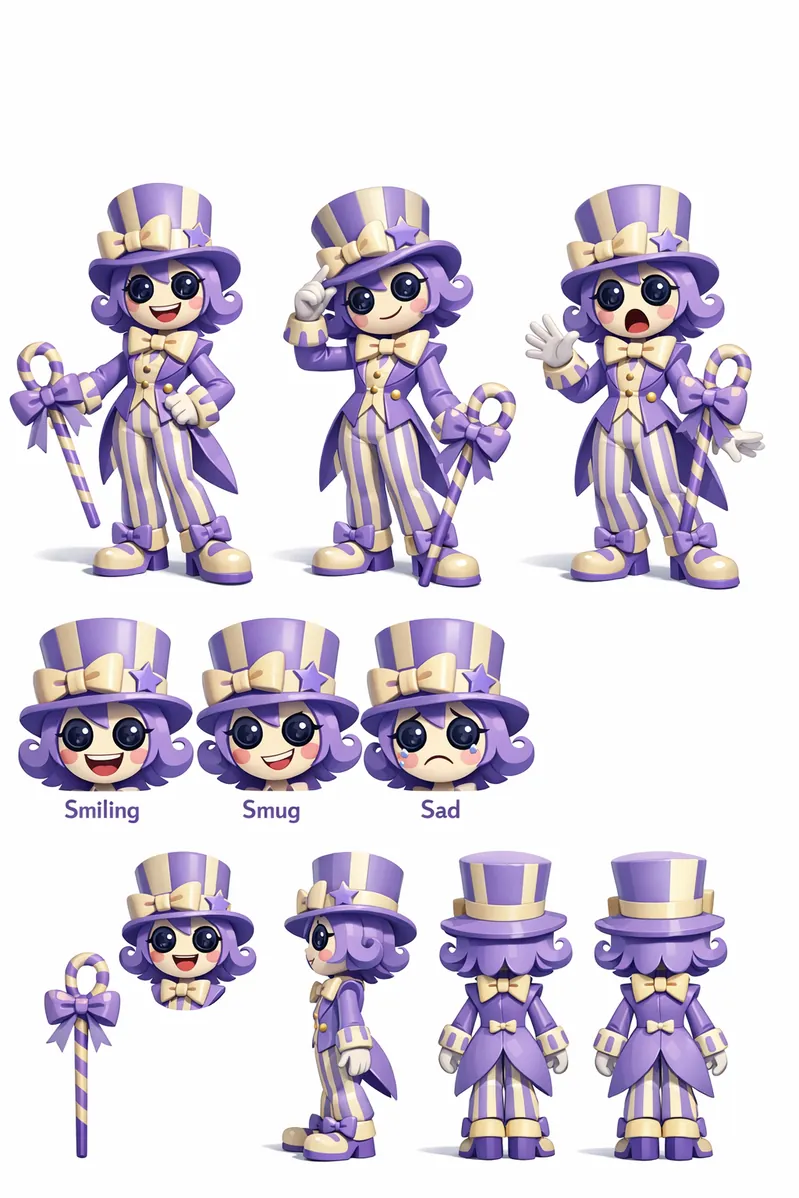
TADC OC Example 2

TADC style, original ringmaster doll OC reference sheet, 3 full-body poses, smiling, smug, startled, and sad expression panels, glossy button eyes, lavender and cream carnival palette, ribbon cane prop, clean character turnaround views, stylized 3D cartoon render, white studio background

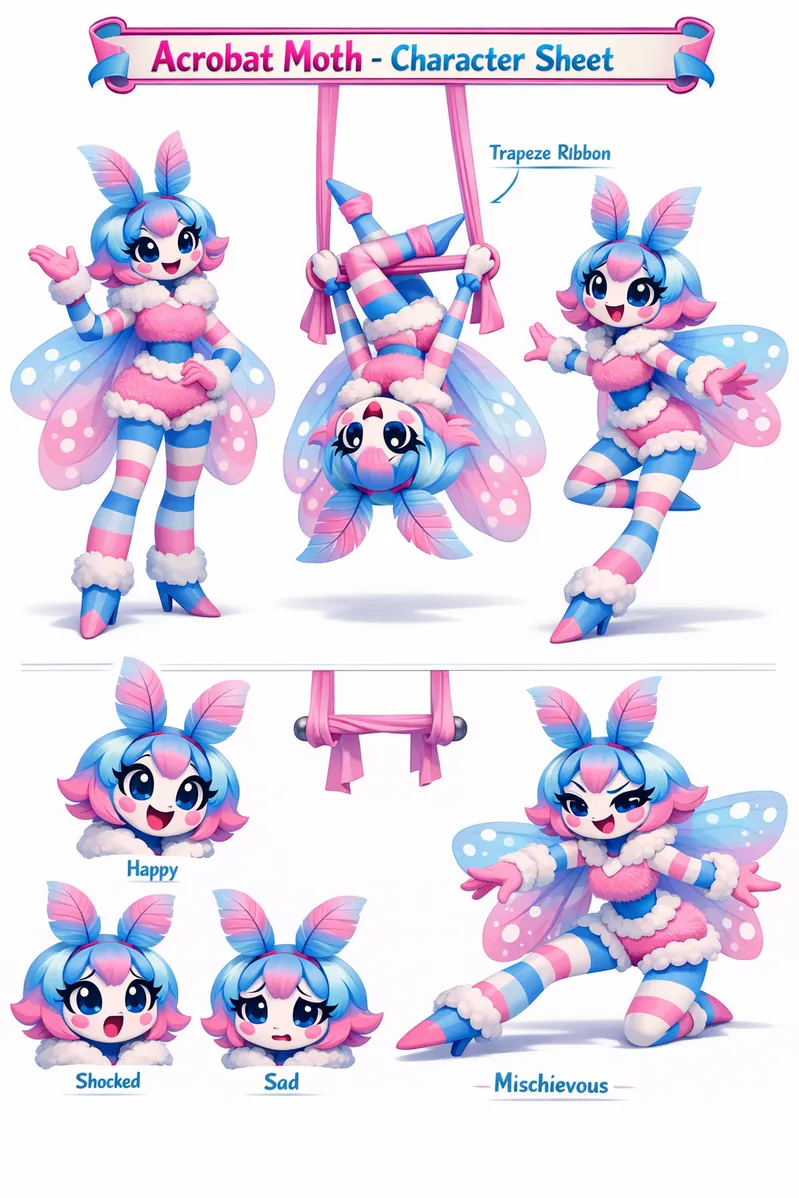
TADC OC Example 3

TADC style, original acrobat moth OC design sheet, 3 full-body poses, 4 expression close-ups, translucent sleeve wings, plush torso, cotton-candy blue and pink palette, suspended trapeze ribbon prop, clean turnaround layout, stylized 3D cartoon render, white studio background

TADC OC Example 4

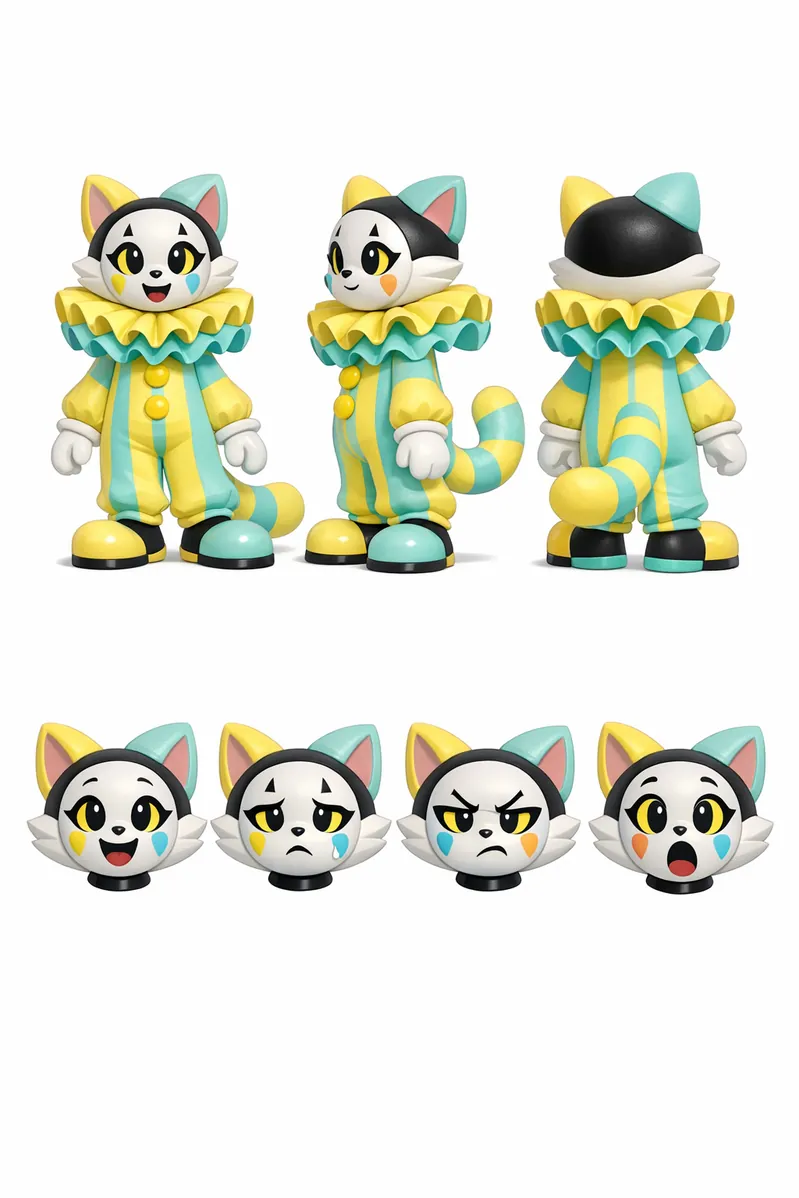
TADC style, original mime clown cat OC reference sheet, 3 full-body poses, 4 expression close-ups, porcelain faceplate, striped tail, lemon yellow and aqua pastel palette, oversized bubble collar, clean front-side-back turnaround, stylized 3D cartoon render, white studio background

TADC OC Example 5

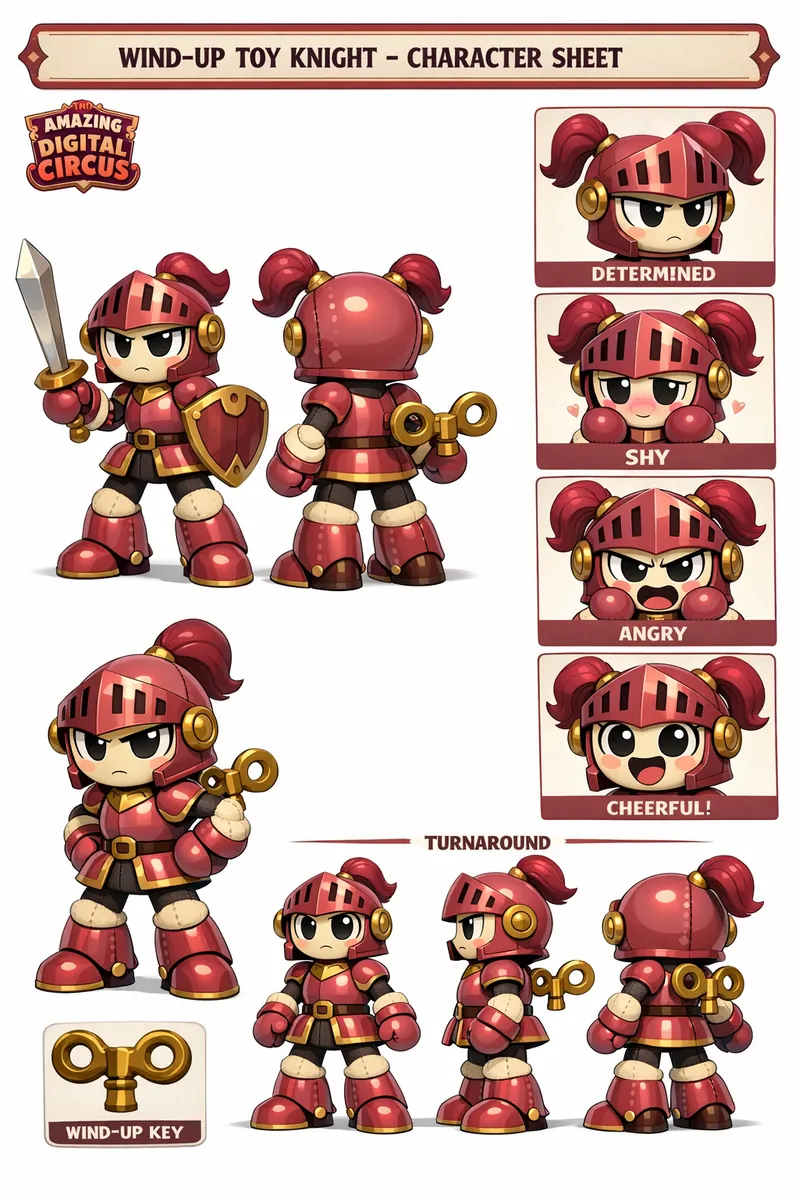
TADC style, original wind-up toy knight OC character sheet, 3 full-body poses, determined, shy, angry, and cheerful expression panels, lacquered armor plates, plush joints, dusty rose and brass circus palette, key-wind accessory, clean turnaround callouts, stylized 3D cartoon render, white studio background

TADC OC Example 6

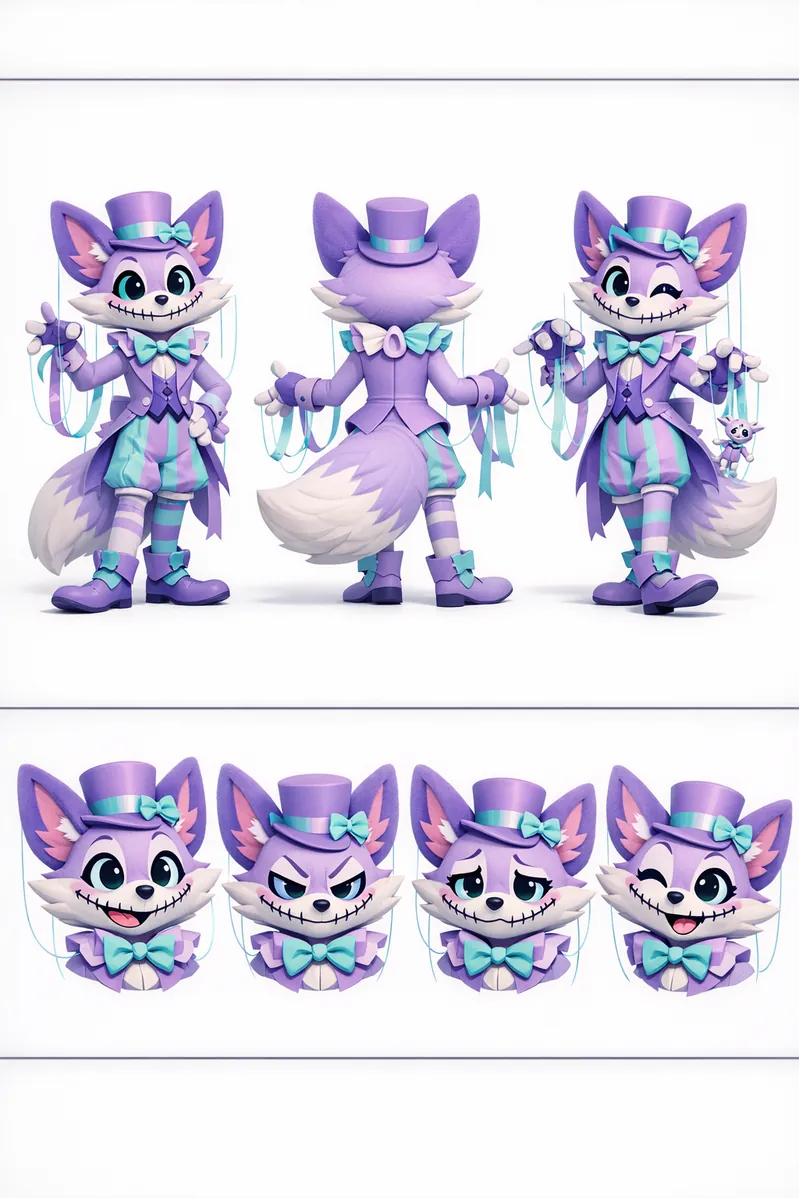
TADC style, original ribbon puppeteer fox OC reference sheet, 3 full-body poses, 4 expression close-ups, velvet ears, stitched smile, pastel lilac and teal palette, floating marionette strings, clean turnaround layout, stylized 3D cartoon render, white studio background

TADC OC Example 7

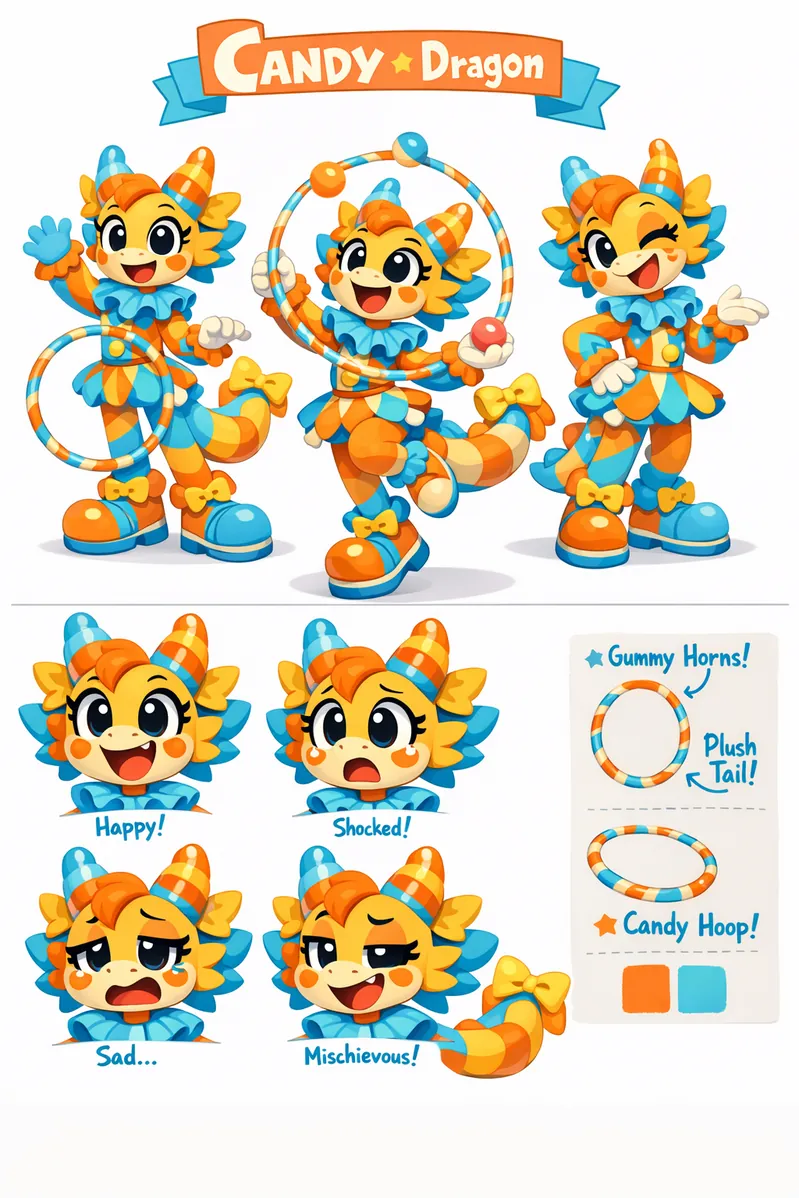
TADC style, original candy dragon performer OC design sheet, 3 full-body poses, 4 expression close-ups, gummy horns, plush tail, sherbet orange and sky blue circus palette, juggling hoop prop, clean character turnaround notes, stylized 3D cartoon render, white studio background

TADC OC Example 8

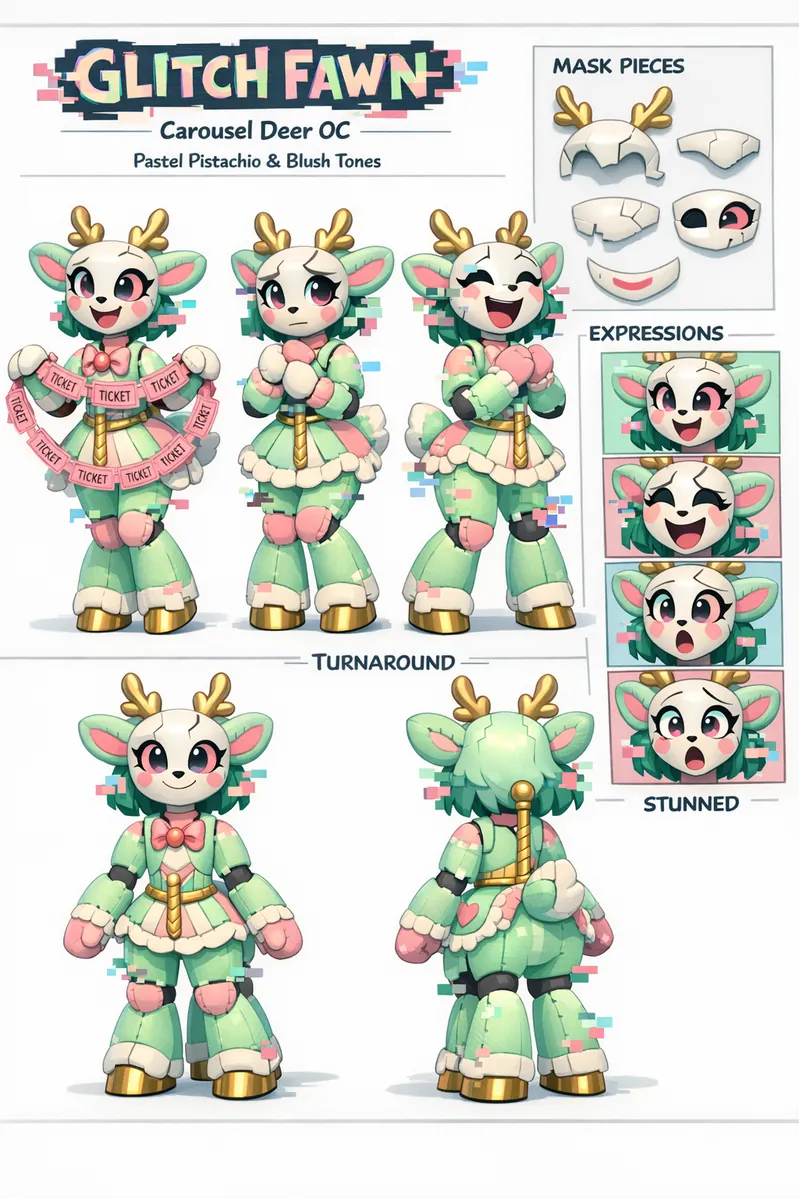
TADC style, original glitchy carousel deer OC reference sheet, 3 full-body poses, happy, uneasy, laughing, and stunned expression panels, porcelain mask segments, plush limbs, pastel pistachio and blush palette, ticket garland prop, clean front and back turnaround views, stylized 3D cartoon render, white studio background

Build TADC OCs That Feel Stage-Ready

The strongest digital circus OCs combine silhouette, material logic, and performance identity. When you define whether your character feels plush, plastic, rubber, glass, or stitched fabric, the image model has a clearer target and your outputs stay more recognizable.

Creative Challenges

Use these briefs when you want fresh TADC OC directions without losing your prompt structure.

  • Design a nervous carousel deer whose porcelain face panels slide apart whenever it lies.
  • Create a stage magician rabbit with plush limbs, mirrored shoes, and a hat that leaks ticket confetti.
  • Imagine a mime clown cat whose bubble collar changes color with each emotion shift.
  • Build a cotton-candy dragon acrobat with ribbon wings and squeaky toy joints for aerial poses.
  • Draft a stoic toy knight who guards the circus gate with a wind-up key and checkerboard cape.
  • Create a fortune-teller fox puppeteer who controls glowing marionette strings and pocket-sized stage curtains.

TADC Prompt Tips

Start with a Circus Role: Ringmaster, acrobat, mime, puppeteer, and mascot roles give the model a stronger design direction than generic clown wording.

Pick One Material Family: Choose plush, plastic, porcelain, rubber, or mixed toy surfaces early so the character feels more cohesive.

Keep the Palette Tight: Two main pastels plus one accent color usually produce cleaner carnival styling than a full rainbow prompt.

Ask for a Sheet Layout: If you want a design board instead of one hero shot, explicitly request a reference sheet, multiple poses, and turnaround views.

Separate Pose and Expression Cues: Write face directions and body directions as different prompt blocks so the model can preserve both clearly.

Why Use TADC OC Maker

  • Reference-Sheet Friendly: The workflow is built for pose sets, expression panels, and turnaround-style character boards.
  • Stronger Material Identity: Prompt structure helps plush, plastic, porcelain, and rubber details stay visible instead of blending together.
  • Faster Variant Building: Once your base character works, you can branch into alternate moods, props, and costumes without rewriting everything.
  • Better Story and Role-Play Assets: Clean sheets are easier to reuse in fan fiction, OC bios, comic planning, animation pitches, and social posts.

Turn One Circus Concept into a Full Sheet

Save your best base prompt, then branch it into expression pages, prop studies, alternate costumes, and story-scene variations. This keeps the same character DNA while expanding your fan project or role-play world.

Recommended Tools

キャラクターデザイン、アニメーション、ストーリー制作に使える関連ツールをまとめてチェックできます。カードを開くと別のワークフローへすぐ切り替えられます。

TADC OC Maker FAQ

Subscribed users can use generated images commercially under platform terms, but Amazing Digital Circus inspired fan designs may still require separate IP review before public or commercial release.

Create Your TADC OC Now

Open the generator and turn your surreal circus idea into a polished character sheet you can keep building on.